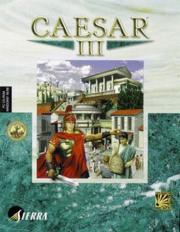
FAQ on Caesar 3
Last Update: 07 January 1999
Version: 0.00.003
E-Mail of Author: cerion@flashmail.com
PLEASE NOTE - this is a pre-release which was uploaded because of the
demand of so many people
if you would like to be notified when a new FAQ is released
please write to cerion@flashmail.com and you will be
put onto the list of people receiving a mail if such
thing happens
this work is incomplete but will be updated and completed
before the week is finished
please be patient
O. Legality Statement (abbreviated)
This document may be copied freely as long it stays intact as it is
in the current state of release. Old versions should be deleted unless
you keep a historical archive.
For now, you will have to be satisfied with following:
1. There is no warranty to whatever thing you may imagine.
2. You excerpt or expand information from this document ONLY if all
copyright information stays intact.
3. You may not put it onto any data storage system which is going to
be sold (i.e. CD-ROMs, shareware CD-ROMs, .. anything else)
4. If you are planning on publishing this document in any form please
let me know priorily so I can give my consent and take you into the
list of distributors
I. Introduction
This file contains information on a game named "Caesar III" (name
without double quotation marks). This game has been designed to work
on a PC, that is, a personal computer. General information on what a
PC is cannot be given during this file, but your local PC vendor may
help. Alternatively you can contact the author of this file for more
detailed information.
The text contained herein has been written, designed and formatted,
checked and revised, changed, saved and published out of free will.
No money has been received for the work put towards its creation up
to its present state. Because of this I hereby notify everyone, that
this file and its contents in their complete form shall not be bound
to any royalty or "distribution fee" which may arise to be earned by
distributing this file. Distribute it out of free will, but do not
take money for it. More information on distribution of this file may
be obtained from appendix A (legality statement).
To understand what is contained within this file you will need basics
in computer using, e.g. how to start a file, how to launch Windows
Explorer, what is MBytes, MHz etc.
If you are not familiar with files called FAQs (like this one),
please read appendix B (about FAQs).
1. What type of game is Caesar III?
At its core it's an action simulation. It simulates a career of
a Roman citizen that takes up the so called "cursum honorum" which
is the "curse of honors". Romans had to undergo several types of
offices before they were admitted to governing and legislative
offices. For example they were tax collectors, police staff and
other important things required for a town or civilization in general
to work. More about the history of Caesar later on.
This cursus honorum has already brought you to a point where
you govern a city, which may be something nearby consul status.
If you know Sim City, Caesar III will be very familiar. But!
There are big differences.
First of all, you have to construct a city out of nothing. There
is a lot of woods, water and perhaps a street through the lands.
But that's it. You will have to cultivate land to feed your people
by building farms. Further on you will need to construct
workshops to equip your armies and fight intruders. There's a whole
lot of life in ancient Rome, and your city is a thrilling pool
of activity. A lot to attend and a big amount of details you may
overlook, but this file should put you on the right way to it.
Basically after building up your basic city, still every single
building added may cause little catastrophes. It is not easy being
one of the mighty ones, but it's great fun watching for people
unfold, develop, grow and finally have metropolis making Rome itself
turn pale.
Occasionally I will insert little glimpses of history into this
FAQ, but don't worry, I will keep them short. If you would like to
know more about Roman history, feel free to contact me. Generally
however there should be plenty of books around to inform you.
2. A bit of the history of Caesar (the person)
About 2000 years ago ancient Rome, that is the Roman Empire had its
biggest spreading in history. Also, about 2000 years ago, emperors
ruled it. As we all know from history Rome first was ruled by
kings, then, after Caesar claimed dictatorship emperorship was
introduced (after Caesar's death - should you never have seen
any Asterix movies or read comics - they stabbed him to death).
Emperorship under Octavian who was also called Augustus (the month
August is named after this emperor, the first in Rome's history
namely) was something completely new for the Romans. Now Caesar's
history starts when Caesar claims dictatorship after he has had
a quite interesting and adventorous career, actually marching
straight through Gaule, that is the ancient France and bringing it
under the flag of the Roman Empire (which was some type of spear
with banners and stuff around it and the writing S.P.Q.R.; which
denotes senatus populusque Romanus - translated means "property
of the Roman senate and people"). But Caesar also entered Great
Britain and "convinced" Britains to be part of the Roman Empire
from then on. It was also him who added a lot of culture to Rome's
outlook. "panem et circenses" may be familiar to some of you, which
means bread and games - and that's exactly what he did: he spent
money to bring food to the (starving) people to get their favor
and then he entertained them with games full of blood and brutality.
Actually you may have heard of the Coloseum in Rome, a small picture
of it is also shown during the game at the map of the Empire where
ancient Rome would be. This theatre, which consisted of a doubled
ancient Greek theatre (half circles usually) featured a lot of other
games aside of plays but also covered some blood thirsty gladiator
battles (the fighting gladiators greeted Caesar with "ave Caesar,
morituri te salutant" which is "greetings, those who are going to die
salute you"). They had also quite funny games. For instance they let
people dressed up in feathers run and jump from the highest
precipice to honor the gods. And then again their were also for
Artemis, the goddess of hunting: A wood was constructed in the middle
of the Coloseum. Into this wood small animals were brought. Quite
actually all spectators were then admissed to search and hunt for
the small animals. Entertainment was big fun in those times.
3. A bit on the history of Caesar (the game)
Caesar, in the original way was designed to work on the PC. There
were and are several similar programs around. The oldest predecessor
I still remember was Centurio on the C64. The three games of Caesar
each offer similar game play. Even though one immediately sees the
huge amounts of changes applied to all three games, the changes
from Caesar II to III were not that great than they were from the
original Caesar to Caesar II. Yet, and that may be the most
fascinating thing, Caesar III offers even more details than Caesar II
which already incorporates a lot of what is known about the antique
Roman civilization.
Caesar III in it's general has far more advanced graphics, nice
tunes and new sounds, of course also old elements but a much richer
game engine, that features a lot more details than the other
versions. Basically, if you do not have any of the three games I
would recommend Caesar III, because it incorporates the best of all
games and adds some new things, too.
If you already have Caesar or Caesar II you should consider trying
whether you are still fascinated by similar game play, but yet still
the game Caesar III itself has already a place among those nice
games arrayed on the heaven of game stars.
4. Installation
Although explained with a lot of details, the installation of
Caesar III may yield some problems. However I will not repeat
endless "how to clean up Windows 95" articles here, instead,
please contact me, if you need assistance on installing the game.
5. Setting up the preferences
Some things like performance or sound volume should be adjusted
before you start playing. However, if you have a problem like
the game running very slowly, read this paragraphs.
a. Outside
Before actually running the game itself, please make sure you
have a look at the following file (i.e. open them with Notepad
or similar).
README.TXT
This file contains extremely useful information considering you
are not completely familiar with the instruction manual. So
called 'readme' files are usually addenda to manual errata,
that is, they contain information or corrections on mistakes
that have been placed into the printed manual. Sometimes
readme.txt files also contain information which could be added
to the help files, because different people worked on that
file.
A lot of what is stated in the README.TXT paragraph is
very important and should be known by all players. I will
not repeat it afterwards. Generally reading the following
paragraph will render you with a thorough basis of nice tips
and "what-do-I-do-now" information.
It should be located in the directory whereto you installed
Caesar III.
I will list the most important things here, so you will not
have to switch files a lot. Also I will include some hints and
information from myself.
As for originality as stated in the FAQ to FAQ writing (at
http://www.gamefaqs.com) the following information of the
following paragraphs is mainly taken from the README.TXT of
Caesar III. Generally I have however corrected some mistakes
that were stated and added new information. I have placed only
the most important information and what conclusions may arise
from reading it here.
1. If you have questions that run beyond this FAQ, please visit
http://www.caesar3.com which offers a lot of hints, tips and
a message board for you to exchange information about the
game.
Should you not be able to find a solution there, try to
visit http://www.sierra.com. There..
- click on the "interact" button at the top of the page
- choose "message boards"
- click "strategy and simulations" under "technical and
customer support boards
- read the messages that will be displayed
Sometimes you may find a similar problem which has already
been looked at by technical staff or programmers from the
people who developed this game.
2. Minimum requirements for playing are..
- 100% IBM compatible PC
- 90 MHz processor
- Quad-Speed (4x) CD-ROM drive
(600 KBytes/sec transfer rate)
- 16 MBytes RAM
- Video Card capable of 16 Bit graphics at a
resolution of 640 by 480 pixels
- Hard Drive space of at least 150 MBytes
- Hard Drive space of at least 100 MBytes for Virtual
Memory
- Windows 95/98 installed
If you need more detailed information on what technical
terms like 'virtual memory' are, please look them up in your
Windows Help.
Recommended components for playing are..
- 133 MHz processor
- 32 MBytes RAM
- Full Installation
Include with these the components from above. Of course
having a 450 MHz Pentium II with 512 MBytes of RAM will
work - even better, that is.
3. The following information may be useful if you have problems
inside the game. You will have to come back outside (i.e.
quit) to apply any of these hints.
If you get a warning about low memory or "low virtual memory"
please consult your Windows Help on how to increase
virtual memory. Be sure that it is set to at least
100 MBytes AND that your harddrive also yields 100 MBytes of
free space.
If you have extremely slow game play, try increasing
virtual memory and defragmenting your harddrive.
Also, if you seem to have problems with your mouse, try
installing new drivers from your mouse hardware vendor.
Many of these offer them for free download from their
homepage e.g. http://www.logitech.com for Logitech mice.
Note: Even new computers may be shipped with outdated
drivers.
Some TSRs (programs located in the system tray, usually
left of your system clock at the right corner of the
Windows Desktop featured as little icons, smaller than
the others on the Desktop) e.g. screen savers as well as
compression programs e.g. Stacker, DriveSpace or
crash protection programs e.g. Norton CrashGuard may
interfere with the game. Unload these programs and try again.
Do so by pressing [CTRL], [ALT], [DEL]. A window will popup.
Select an application, hit ENTER and another window
will pop up. Click "End Task" (or press ENTER) to
unload the previously highlighted application.
Trying to unload everything except "Systray", "Explorer"
and "Caesar 3" may crash your computer, since there
are a lot of programs that are needed for some computers
to function correctly e.g. playing from a diskless
workstation.
Occasionally you may refresh your monitor by pressing
[ALT], TAB to switch between your Desktop and Caesar III.
4. Now, if you have not yet read the manual, do so. A lot of
information that follows now refers to things stated in the
manual and you will not be able to follow if you do not
know some basics of the game.
Some things here are well in-game situations, but they
are good to be known or heard of before you start a game,
so you don't come back here frustrated because something
does not work how you expect it to do.
- there is not a context help to any single element in
the game featured with a context help button
- SPACEBAR does not pause time, the P button does
(look up appendix D (rumors) for more information!)
- use SPACEBAR to toggle between normal view and overlay
view or overlay view and another overlay view
(view describes and open 'window')
- hotkeys are as follows
P .. pause game
[ .. reduce game speed
] .. increase game speed
cursor keys .. scrol main map
SPACEBAR .. view main map while in overlay view
SPACEBAR .. return last overlay while in normal view
L .. cycle through legions
F .. fire overlay
W .. water overlay
D .. damage overlay
C .. crime overlay
T .. problems overlay
advisors
1 .. labor
2 .. legion
3 .. emperor
4 .. ratings
5 .. trade
6 .. population
7 .. health
8 .. education
9 .. entertainment
0 .. religion
= .. finance
- .. chief
hitting a key twice takes you back to
normal view
- you can set bookmarks to certain map locations using
[CTRL], F1 for position #1 through to [CTRL], F4 for
position #4; recall these bookmarks using F1 through to F4
- enter window screen mode (background = Desktop) using F6
- you may change the currect resolution using..
F7 .. 640 by 480 pixels
F8 .. 800 by 600 pixels
F9 .. 1024 by 768 pixels
- on career game maps: they are not available in the
construction kit, but played once in career game mode
makes them available to you - save there and load them
- sheep and zebras can only be frightened away by building
something nearby
- contrary to the manual, the lack of a governor's
residence does not limit the potential prosperity for
a city
- when you surround a set of housing with a wall, the housing
will disappear after several seconds; use gatehouses
to provide necessary access to the rest of the city map
when fortifying residential areas
- there are wolves in the northern reaches of the Empire,
better not try biting them (i.e. they will attack
Roman people)
- cart pushers usually wait for you to build a new
destination if the old one has vanished
- you may build an unlimited number of reservoirs linked
together by one or more aqueducts
5. The README.TXT features some hints and tips for those
who actually read it. These are very useful for all who
like to be on the safe side in the beginning.
- plan your first residential area well; have access to
farmland, raw materials and water at a minimum
- keep the road network simple
* low number of intersections
* straight roads
- build no more than two residential areas initially
- housing may expand into gardens, but not into statues
- get a trade route started quickly
(ensures good growth rates and keeps your purse filled)
- lower your taxes in the beginning, slowly raise them
later in the game
- do not build too many gardens or plazas
- build small low rent communities near areas where you are
having labor problems
- leave open spots in residential areas for expansions
or additions like baths, libraries etc.
- cover wages with taxes no higher than 10%, make it 8%
ideally, never go below 5%
- build farms at the edge of farmland
- only one tile of housing or baths need access to water
- specialize in commodities
- place docks near where trade ships enter the map;
build one dock for each seaborne trade route you open
- minimize cart pusher travel time by building granaries
near farms and markets near granaries (i.e. farms -
granaries - markets)
put workshops near their raw material suppliers, best
would be adjacent, warehouses near workshops, markets
near warehouses
(i.e. ideal chain: farms - granaries - markets -
warehouses - workshops - raw material suppliers)
- Neptune's wrath can only affect you, if you are near
near the sea
- evolution increases with desirability rates;
this is graphical only, their function does not change
- best defense offers a wall of towers, that is no
simple wall, just towers, leaving open some gates
- instead of relying on just your towers also
have some army units handy; recommended are at least
one cavalry, two legions and two or three javelin
auxiliaries
- a strategy common from Command & Conquer: meet
your enemy with armies in range of your towers and have
long range behind hand to hand units
- build a legion every two years, from year 10 upwards
get military even more
- save often, always a thing missed during real life,
saving is what keeps you from redesigning your city
many times over
- ignore messages about food surplus, if you have the labor
for it
- something for those rioting people are decreased taxes
- never let unemployment exceed 20%; quick jobs are made
with extra hospitals
6. If you need to contact Sierra via surface mail or want to
call them, use the following information:
United States
Sierra On-Line Returns
4100 West 190th Street
Torrance, CA 90504
Sierra On-Line Fulfillment
4100 West 190th Street
Torrance, CA 90504
U.S.A. Sales Phone: (800) 757-7707
International Sales: (425) 746-5771
Hours: Monday-Saturday 7AM to 11 PM CST,
Sundays 8AM to 9PM CST
FAX: (402) 393-3224
Sierra Direct
7100 W. Center Rd
STE 301
Omaha, NE 68106
United Kingdom
Cendant Software International Limited
Main: (0118) 920-9111
Monday-Friday, 9:00 a.m. - 5:00 p.m.
Fax: (0118) 987-5603
Disk/CD replacements in the U.K. are 6.00 pounds,
or 7.00 pounds outside the UK. Add "ATTN.: Returns."
2 Beacontree Plaza,
Gillette Way,
Reading, Berkshire
RG2 0BS United Kingdom
France
Cendant Software International Limited
Phone: (01) 46-01-46-50
Lundi au Vendredi de 9h - 19h
Fax: (01) 46-30-00-65
Parc Tertiaire de Meudon
Immeuble "Le Newton"
25 rue Jeanne Braconnier
92366 Meudon La Fort Cedex
France
Germany
Cendant Software International Limited
Tel: (0) 6103-99-40-40
Montag bis Freitag von 9h - 19Uhr
Fax: (0) 6103-99-40-35
Robert-Bosh-Str. 32
D-63303 Dreieich
Germany
CompuServe United Kingdom:GO UKSIERRA
CompuServe France: GO FRSIERRA
CompuServe Germany: GO DESIERRA
Internet USA: http://www.sierra.com
Internet United Kingdom: http://www.sierra-online.co.uk
Internet France: http://www.sierra.fr
Internet Germany: http://www.sierra.de
7. If you are not satisfied with the game, you can return it
within thirty days within purchase. Simply send it back
via mail; even retail bought software. But tell them what
was wrong - valid in North America only.
To replace your disk(s) send only disk #1 or CD and a copy
of the receipt. 90 days after purchase add $10.00 for
handling. For documentation replacement include $5.00 0for
handling and a photocopy of disk #1. No credit cards.
8. Finally, if you would like to contact Sierra technical
support, please read the appropriate section the README.TXT.
There are specific numbers for different countries to call,
and different addresses to write to. Since some of these
services are not free of costs, they are not included here.
This concludes information derived from README.TXT.
FILES IN THE INSTALLATION DIRECTORY
There are always some files that are human readable, or pleasantly
to the point where you still can manage to edit something.
CAESAR3.INI
One very obvious line:
CDDrive=
( means any letter or something else)
Now changing this can assist you with game play, if it's very
slow, try copying the CD to your harddisk and playing it from
there. Use CDDrive=. in order for the game to recognize your
harddisk as CDDrive (and thus being able to run the whole game
from there - which is much faster)
SIERRA.INF
Some information placed by Sierra. There are some things which
you may change if you messed up. You can also add your own
bookmarks here, which may be shown somewhere in the game. (we
will talk about that later)
Also your basic configuration is stored here aside with
product code and version and some information which demos the
game will show to you.
This is interesting, since you may actually skip the demos if
you just blank the lines after the equation marks. Unless you
like them or have enough time to lose, do this - speeds up
loading the game.
C3_MODEL.INF
This file contains information on every structure and the
taxes in connection with them. There is some information
in that file on model data (that is the data contained therein).
Basically this a trial-and-error thing. The values of what
a structures costs etc. are balanced out, so game play is
good. If you change this, you may have a nice cheat, like
paying only little for a palace or something. This is however
not recommended. Slight adjustments are okay, but do not
exaggerate it. Unless you are very familiar with the game,
do not change this. It offers a lot of possibilities though.
STATUS.TXT
Created as a log file for loading the game parts. Whenever
you start the game logs what happens during loading the game's
parts. If you have any errors at hand, have a look at what
could not be loaded or was not enabled, is not sufficient
(like memory) or could not be found.
Except for the README.TXT and the STATUS.TXT it is a bad idea
to delete any of the files contained in the Caesar III directory.
Technically you may delete and TXT and MAP files for the game
to work. But pre-designed maps probably needed by the game may
fail to load if you do so. Still you could play using
editor designed maps. This could be needed for small laptop
harddisks. Usually you do not get more than you lose by deleting
every single file you do not need.
You may also delete the SMK files (video files) and various
WAV files (audio files). Handle with care - the game may crash or
not even start doing so. Again technically you can reduce the
amount of space needed to about two thirds, but this reduces
the actual game to its engine functions. Same thing if you
remove the beautiful red metal outlets, the wooden inlays
and stuff like that from a Ferrari and go driving around with
the engine in front of you. It's possible but it's not a nice
feeling with all the wind coming at you at 100 mph. And then,
a car door adds a lot of comfort, doesn't it?
b. Inside
Quite exactly, editing any preferences inside is very easy
because there are not many that refer to the games actual
outlook.
First of all, you have to start a game and on the main screen
to actually get to editing any preferences (also have a look
at the chapter later on, where we will talk about how to
build a city in a few steps).
On the main screen there will be a menu on the top where there
is something called "options" - a dropdown menuitem listing
where you can select from Display, Sound and Speed Settings.
DISPLAY SETTINGS
This lets you adjust how you actually get to look at your
city. Resolution and windowed mode may be changed. These
are the same things you can do with the F6 through F9 keys.
SOUND SETTINGS
These are very obvious. You can adjust the volume and whether
sounds are played at all. Generally the basic settings
(everything ON) is okay. You will have some performance gain
by turning of music and sound effects.
SPEED SETTINGS
Now this is an interesting menuitem, because you may adjust
game speed, which may help you if things are overwhelmingly
fast - and that 450 MHz Pentium II running at your service
may overdo it :).
Scroll Speed - this lets you adjust the speed of how fast the
main window will scroll around the city map
Aside from these settings you may change the Warnings and
the Mouse Help. Both are changed via the Help dropdown menu.
Warnings - if ON shows warning e.g. nearby enemies etc.
Mouse Help - if ON will show tool tip like windows if you place
the mouse cursor over any topic a help item is
assigned to
This is pretty much you can do concerning preferences that affect
on how the game works.
II. General Game Play
1. Types of game play
Caesar III has been designed to allow different types of playing.
There are generally two modi which you may choose from. I will
give an overview of both first and then go into detailed information.
Career Play - This type of game puts you in the position of a Roman
citizen which has to first eloborately prove her or his
management skills by building two cities to a preset
amount of wheat stored, population etc. may go choosing
what types of city she or he governs. Basically you are
given the military style career and the governing,
managing type of career. A balance between both is also
possible.
Individual Play - This type of game allows the player to play single
games with the goal Sim City may set. Expand your
city and keep it alive against all the bad things
that may occur. With Caesar III these things are
differently from invading spaceships. But there are
wild storms angered gods may conjure to wreck your
nice city.
Individual play more or less offers freedom of action
since there are no real goals to achieve.
For now we will concentrate on career play, since this is the story
mode. You may also look at it from the view of a campaign, since in
this mode you have many connected levels or cities to build up.